Share Safely
Obscure uses on-device AI to automatically detect and redact sensitive text, faces, and personal information from your photos — before you share them.

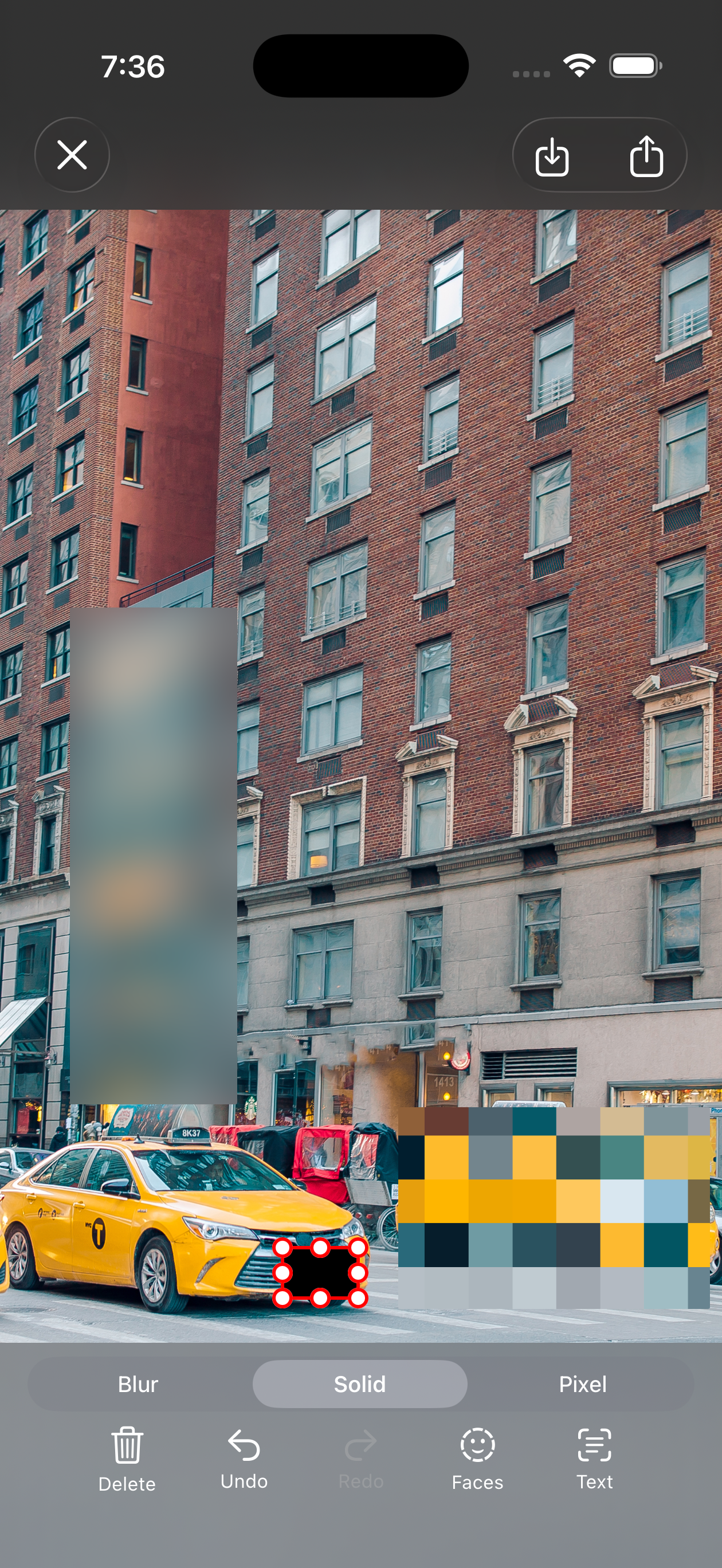
Powerful Redaction Tools
Everything you need to protect sensitive information in your photos.
AI Text Redaction
Automatically detects and redacts sensitive text in your photos — names, addresses, phone numbers, and more — using on-device machine learning.
AI Face Detection
Instantly finds and obscures faces in group photos, screenshots, and more. Keep identities private without manual effort.
Manual Redaction
Need precise control? Draw to select exactly what to redact. Perfect for edge cases the AI might not catch.
Three Ways to Redact
Choose the obfuscation style that fits your needs.
Blur
Gaussian blur smoothly hides content while preserving the overall feel of the image.
Pixellate
Mosaic-style pixellation obscures details with a distinctive blocky look.
Fill Color
Solid color fill completely covers sensitive areas for maximum redaction.
Share in Seconds
Four simple steps to protect your privacy.
Open a Photo
Pick any photo from your library or take a new one.
Auto-Detect
AI automatically identifies sensitive text and faces.
Pick a Style
Choose blur, pixellate, or fill color for redaction.
Share
Export the redacted photo directly to any app.
Available Everywhere
One purchase, all your Apple devices.
Download Obscure
Protect your privacy before you share. Available on the App Store.